Introduction
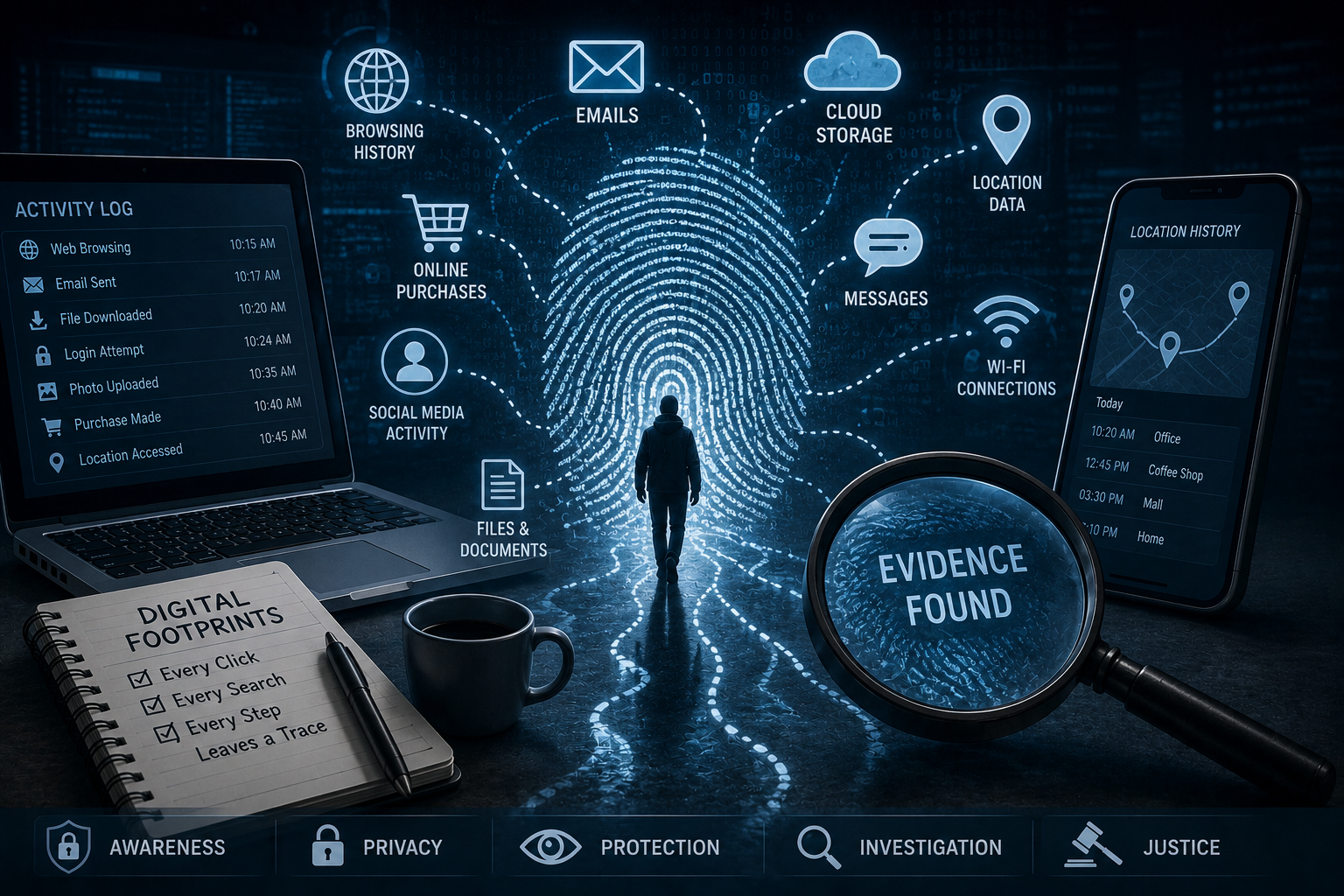
Every click, search, message, and online purchase leaves behind a digital footprint. Whether you browse websites, use social media, shop online, or simply connect to Wi-Fi, you generate digital data that tells a story about your activities. While most people rarely think about this invisible trail, investigators rely on it every day to solve cybercrimes, uncover fraud, and authenticate digital evidence.
A digital footprint is more than just your browsing history. It includes metadata, location records, login history, emails, device information, cloud backups, application usage, and much more. Consequently, digital footprints have become one of the most valuable sources of evidence in modern digital forensic investigations.
This article explains what digital footprints are, how they are created, the different types of digital footprints, and how digital forensic experts use them to uncover the truth.
What Is a Digital Footprint?
A digital footprint is the collection of information generated whenever you interact with digital devices or online services. This information may be stored on your smartphone, computer, websites, cloud platforms, or network systems.
Every online activity contributes to your digital footprint, including:
- Browsing websites
- Using social media
- Sending emails
- Downloading files
- Making online payments
- Watching videos
- Connecting to Wi-Fi
- Using mobile applications
- Uploading photos
- Searching on Google
Furthermore, even passive activities, such as allowing apps to collect location data or automatically syncing files to cloud storage, leave behind valuable digital evidence.
Types of Digital Footprints
Digital footprints are generally divided into two categories.
Active Digital Footprints
An active digital footprint is created when users intentionally share information online.
Examples include:
- Posting on social media
- Writing blog comments
- Sending emails
- Filling online forms
- Uploading documents
- Creating user accounts
Since users knowingly provide this information, investigators often use it to verify identities and reconstruct online activities.
Passive Digital Footprints
A passive digital footprint is created automatically without the user’s direct involvement.
Examples include:
- IP address logs
- Browser cookies
- Device identifiers
- GPS location history
- Search history
- Website analytics
- Application usage logs
- Cloud synchronization records
As a result, passive footprints often reveal information that users may not realize they have shared.
Where Are Digital Footprints Stored?
Digital footprints exist across multiple devices and platforms.
Common sources include:
Smartphones
Mobile phones store:
- Call logs
- SMS messages
- WhatsApp chats
- GPS history
- Photos
- Videos
- Application data
- Wi-Fi connections
Consequently, smartphones are one of the richest sources of digital evidence.
Computers
Laptops and desktops record:
- Browser history
- Download history
- Recently opened files
- USB device usage
- Login records
- Windows Event Logs
- Registry entries
These artifacts help investigators reconstruct user activities.
Cloud Storage
Cloud platforms preserve:
- Uploaded documents
- Deleted files
- Backup history
- Synchronization logs
- User access records
Moreover, cloud evidence often remains available even if data is deleted from a local device.
Social Media Platforms
Social networking platforms collect:
- Messages
- Photos
- Comments
- Likes
- Login locations
- Device information
These records may become valuable evidence during investigations.
Why Digital Footprints Matter
Every digital footprint tells part of a story.
Investigators use these records to:
- Verify user activity
- Build timelines
- Identify suspects
- Confirm locations
- Detect unauthorized access
- Recover deleted evidence
- Investigate cybercrime
- Support court proceedings
Furthermore, combining multiple digital footprints often reveals connections that individual records cannot show on their own.
How Digital Forensics Uses Digital Footprints
Digital forensic experts analyze digital footprints to establish facts and preserve evidence.
Timeline Reconstruction
Investigators combine data from multiple sources to determine:
- When events occurred
- Which device was used
- Where activities happened
- Who accessed specific accounts
As a result, they can reconstruct the sequence of events with greater accuracy.
Location Analysis
GPS records, Wi-Fi logs, and IP addresses help investigators determine where a device was located during an incident.
Browser Forensics
Browser artifacts reveal:
- Search history
- Visited websites
- Download activity
- Saved passwords
- Cookies
- Cached files
These records often provide valuable investigative leads.
Mobile Device Analysis
Smartphones contain evidence such as:
- Messaging applications
- Contacts
- Media files
- Calendar events
- Installed applications
- Deleted data
Digital forensic tools help recover and analyze this information.
Metadata Examination
Metadata provides hidden information about digital files, including:
- Creation dates
- Modification times
- Device details
- GPS coordinates
- Camera information
Consequently, metadata helps verify whether digital content is authentic.
Challenges in Investigating Digital Footprints
Although digital footprints provide valuable evidence, investigators face several challenges.
These include:
- Encrypted communications
- Privacy protections
- Cloud-based storage
- Anti-forensic techniques
- Data deletion
- Cross-border investigations
- Multiple user accounts
However, experienced forensic professionals use specialized tools and legally accepted methodologies to overcome many of these challenges.
How to Protect Your Digital Footprint
Individuals can reduce unnecessary exposure by following simple cybersecurity practices.
You should:
- Review privacy settings regularly.
- Use strong and unique passwords.
- Enable multi-factor authentication.
- Avoid oversharing personal information.
- Keep software updated.
- Review application permissions.
- Clear unnecessary browser data.
- Use trusted Wi-Fi networks.
- Be cautious when clicking unknown links.
Furthermore, understanding your digital footprint helps you make informed decisions about your online activities.
The Future of Digital Footprints
As technology continues to evolve, digital footprints will become even more extensive.
Emerging technologies such as artificial intelligence, smart homes, wearable devices, connected vehicles, and the Internet of Things (IoT) generate enormous amounts of digital data.
Consequently, digital forensic experts will increasingly rely on advanced analytics and AI-powered tools to process and interpret this information efficiently.
Conclusion
A digital footprint is created every time you interact with the digital world. From smartphones and computers to cloud services and social media platforms, these hidden traces provide valuable insights into user activities.
For digital forensic investigators, digital footprints are essential sources of evidence that help reconstruct events, identify cybercriminals, verify digital evidence, and support legal proceedings. At the same time, individuals should understand how much information they leave behind and adopt safe online practices to protect their privacy.
As our lives become increasingly connected, digital footprints will continue to play a central role in cybersecurity, digital investigations, and the pursuit of justice.




Post comments (0)