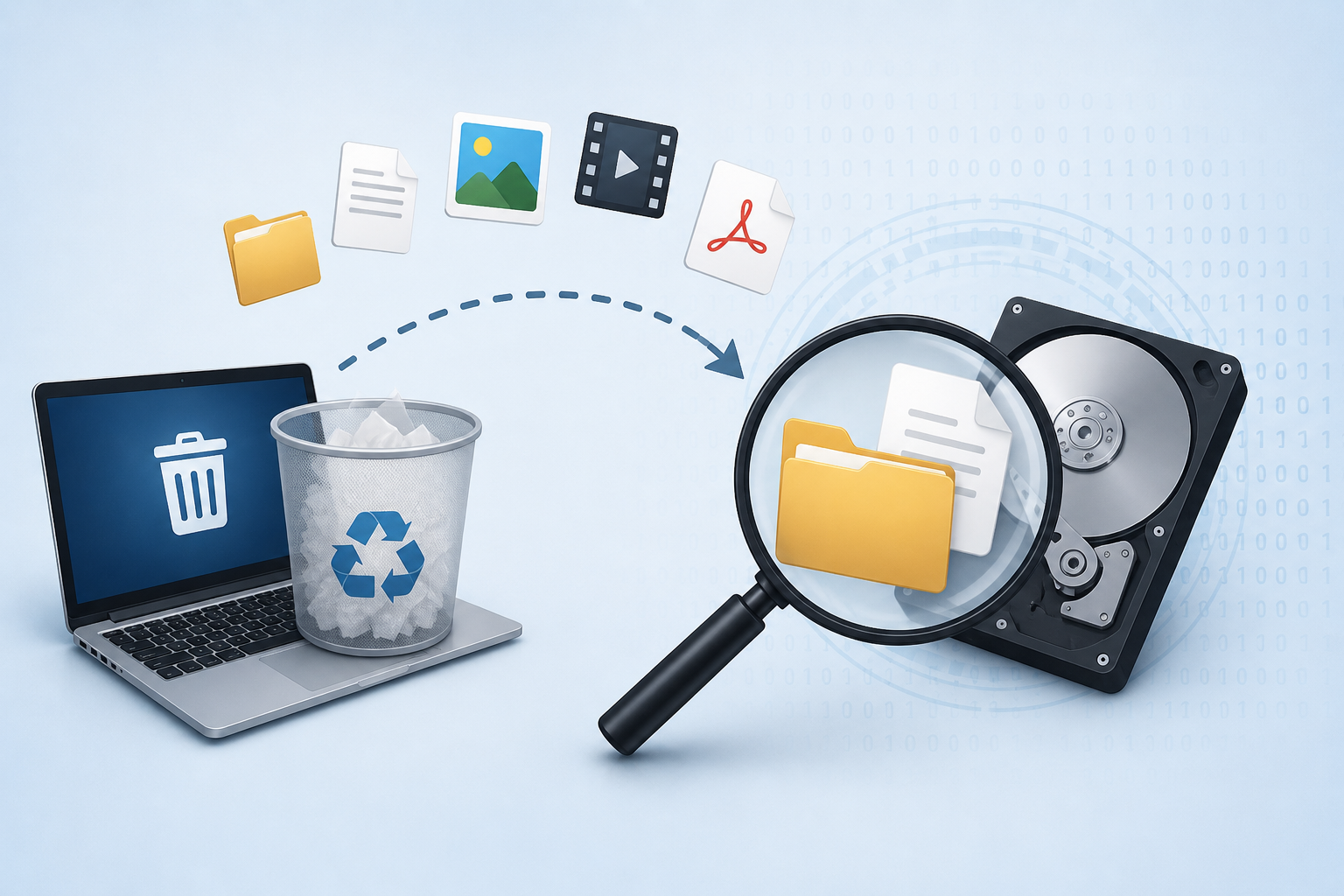
Have you ever accidentally deleted an important photo, document, or video and wondered, “Where do deleted files go?” The answer is more interesting than simply saying they disappear. In most cases, deleting a file does not immediately erase all of its data from a storage device. Instead, the operating system usually removes the information that tells it where the file is located and marks that space as available for future use.
This is one of the fundamental concepts behind data recovery and digital forensics.
What Happens When You Delete a File?
When you delete a file from a computer, external hard drive, USB drive, or memory card, the actual file contents may remain on the storage media for some time.
For example, when you delete a file from a Windows computer, it may initially be moved to the Recycle Bin. At this stage, recovering the file is generally straightforward because the operating system still maintains information about the file.
However, when the Recycle Bin is emptied, the situation changes.
The operating system typically marks the storage space previously occupied by the file as available. The file’s data may still physically exist, but the operating system no longer treats it as an active file. This is why deleted file recovery can sometimes be possible even after permanent deletion.
Does Deleting a File Actually Erase It?
Not necessarily.
Think of a library where a book is removed from the catalog. The catalog no longer tells you where the book is, but the physical book may still be sitting on a shelf. Similarly, deleting a file often removes or changes its file system metadata, while portions of the underlying data can remain on the storage device.
Whether the data can be recovered depends on several factors, including:
- The type of storage device
- The file system being used
- How the file was deleted
- Whether new data has overwritten the old space
- Whether encryption or secure deletion was involved
- The condition of the storage media
This is why digital forensic file recovery requires careful examination rather than simply searching for visible files.
What Happens After the File Is Deleted?
Once a file is marked as deleted, the storage space it occupied becomes available for reuse. If the computer subsequently saves new files, those files may eventually occupy some or all of the previously used space.
This process is called data overwriting.
If the original file’s storage area has not been overwritten, specialized forensic or data-recovery software may be able to reconstruct some or all of the file.
However, recovery is not guaranteed. If the original data has been overwritten, traditional recovery techniques may no longer be effective.
File Systems and Deleted Data
File systems such as NTFS, FAT32, exFAT, APFS, and ext4 organize how information is stored and referenced on a device.
When a file is deleted, the operating system modifies relevant file-system structures. The exact behavior varies depending on the file system.
Forensic investigators can examine these structures to determine whether traces of deleted files remain. They may analyze directory entries, file records, timestamps, allocation information, and other metadata.
For more technical information about file systems, Microsoft’s documentation on NTFS provides useful background on how the Windows file system manages storage.
What Is Data Carving?
Sometimes the file system no longer contains enough information to reconstruct a deleted file normally. This is where data carving can become useful.
Data carving is a forensic recovery technique that searches raw storage data for recognizable file structures, such as file headers, footers, and internal patterns.
For example, a JPEG image may contain recognizable hexadecimal signatures that allow forensic software to identify potential image data even when the original file name and directory information are unavailable.
Data carving can be particularly valuable during digital forensic investigations, where investigators may need to identify remnants of deleted documents, photographs, videos, archives, or other files.
The National Institute of Standards and Technology (NIST) provides extensive research and guidance related to digital forensics and forensic techniques at its Computer Forensics Tool Testing (CFTT) project.
What About SSDs?
Recovering deleted files from an SSD can be significantly different from recovering them from a traditional hard disk drive.
Modern SSDs commonly use a process called TRIM. When the operating system tells an SSD that certain blocks are no longer needed, TRIM can allow the SSD to manage those blocks more efficiently.
As a result, deleted data may become much more difficult or impossible to recover through conventional forensic techniques, depending on the device, operating system, controller behavior, and timing.
This is an important distinction when conducting SSD data recovery or a digital forensic examination.
Can Deleted Files Be Recovered?
Sometimes, yes—but there is no universal guarantee.
A deleted file may be recoverable when its underlying data remains intact and accessible. Recovery becomes increasingly difficult when the storage space has been overwritten, securely erased, encrypted without available keys, or affected by storage-device processes such as TRIM.
For this reason, if important data has been accidentally deleted, continued use of the device can reduce the chances of successful recovery.
Deleted Doesn’t Always Mean Gone
So, where do deleted files go?
In many cases, they do not immediately go anywhere. The operating system simply stops treating them as active files and makes their storage space available for reuse. Until that space is overwritten or otherwise rendered inaccessible, remnants of the deleted data may remain.
This principle is fundamental to deleted file recovery, data carving, and digital forensics.
Understanding what happens after deletion also explains why forensic investigators can sometimes uncover valuable evidence that is no longer visible to the user. A file may disappear from a folder or Recycle Bin, but traces of its existence—or even substantial portions of its contents—can potentially remain within the underlying storage.


Post comments (0)