Introduction
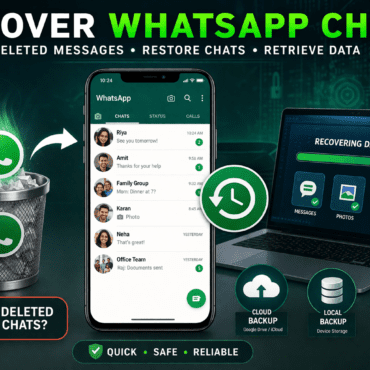
If you’re wondering how to recover WhatsApp chats, you’re not alone. Many users accidentally delete important conversations and immediately search for trustworthy methods to recover WhatsApp data.
Fortunately, you can recover WhatsApp chats through backups, local storage, or advanced digital forensics techniques. However, the success of recovery depends on how quickly you act and whether backups are available.
How to Recover WhatsApp Chats Using Backup
The easiest way to recover WhatsApp chats is through backups.
Cloud Backup Recovery (Recommended)
WhatsApp automatically stores backups on cloud services.
Learn more about cloud storage on Google Drive and Apple iCloud
Steps:
- Uninstall WhatsApp
- Reinstall and verify your number
- Tap “Restore.”
As a result, your chats return instantly from backup.
Recover WhatsApp Chats Without Backup
Sometimes, users don’t have backups. In such cases, WhatsApp chat recovery becomes more technical.
Local Backup Method (Android)
- WhatsApp stores backups for up to 7 days
- You can manually restore older backup files
Digital Forensics WhatsApp Recovery
Experts use tools like the following:
- Cellebrite
- Oxygen Forensics
You can explore digital forensic basics from the National Institute of Standards and Technology
These tools scan device storage and recover deleted WhatsApp messages that are not visible.
Factors That Affect WhatsApp Data Recovery
The success of recovering WhatsApp chats depends on several important factors:
- Backup availability
- Time since deletion
- Device usage after deletion
- Storage encryption
Therefore, acting quickly increases your chances of recovery.
Why Digital Forensics is Important for WhatsApp Recovery
In legal and professional cases, digital forensics and WhatsApp recovery play crucial roles.
Experts can:
- Recover deleted WhatsApp messages
- Extract hidden databases
- Analyse chat timestamps
- Preserve evidence for the court
This ensures that recovered data remains legally valid.
Common Mistakes While Trying to Recover WhatsApp Chats
Many users unknowingly reduce their chances of recovery. For example:
- Reinstalling WhatsApp without backup
- Using untrusted recovery apps
- Continuing phone usage after deletion
Instead, you should stop using the device immediately and attempt recovery.
Tips to Prevent WhatsApp Data Loss
To avoid future issues with WhatsApp chat recovery, follow these steps:
✅ Enable daily backups
✅ Use cloud storage regularly
✅ Export important chats
✅ Avoid unknown third-party apps
Additionally, keeping backups ensures faster recovery whenever needed.
Conclusion
So, can you recover WhatsApp chats? Yes, in most cases, recovery is possible. Backups provide the easiest solution, while advanced methods for recovering WhatsApp data help in complex situations.
Ultimately, prevention is the best strategy. Regular backups and safe usage habits ensure that your data remains secure and recoverable.



Post comments (0)